How To Iphone 5s Icloud Unlock
Feb 01, 2018 Unlock iCloud account for an Apple Device in 4 steps Visit the one of the recommended services we review in this article. Enter your IMEI or Serial Number of your phone or device. If your iPhone is active: Dial.#06# to get your IMEI or go to Settings - General - About - then Scroll down to find the IMEI number. IPhone iCloud Unlock service providers started to investigate ways to bypass the iCloud lock barrier. After many false starts and testing different potential methods, a loophole emerged. As a result, you can now get the iCloud activation lock removed from your iPhone, iPad or Apple Watch. Unlock Disabled iPhone Using iCloud. If you had previously enabled Find iPhone feature on your device, you will be able to erase the Lock Screen Passcode and unlock your disabled iPhone using iCloud. After erasing iPhone, you can Restore iPhone using an iCloud Backup (if available) or setup your device as New iPhone (if no backup is. There are many online service providers who claim to remove lock form your device within hours but they cost a ton of money which many of are able to afford to be honest. Iphone 5s A1533 icloud Activation Lock Bypass/iCloud Unlock Tool for ios 12.2 -13.3 Latest Security will be bypassed after following this guide correctly.
Remove & Bypass iCloud Lock!
Find my iPhone includes a feature called 'Activation Lock' which is designed to prevent anyone else using the device if it's ever lost or stolen. This feature stops anyone else using the device whether its an iPhone, iPad or iWatch by requiring the owner's Apple ID and password prior to activating the device, even if the device is reset. Activation Lock is enabled automatically when you turn find my iphone on a device using ios 7 or later.
Unfortunately this means an innocent consumer may have acquired an iPhone, iPad or iWatch and are stuck with an unusable device with no way of contacting the original owner.
Unlock iCloud Bypass activation lock for your iPhone / iPad / iPod / AppleWatch
iCloud Remover - iRemover iCloud Remover Unlock will permanently remove the current iCloud account from your iPhone / iPad. After the iCloud account is removed, you will immediately be able to activate the iPhone, and associate it with your own iCloud account. This service supports all iPhones: XS (max), XR, X, 8, 7, 6S, 6 (plus), SE, 5S, 5C, 5, 4S, 4... iCloud remover helps you to permanently bypass iCloud activation lock from your iPhone or iPad. Your iPhone will be free and no longer locked by iCloud activation
Apple has done a good job of making its newer iPhone models safe and the same goes with recent iOS updates. As important as security is, this has made it increasingly difficult to get into your iPhone if you forget your Apple ID password or bought a second-hand iPhone. In the latter, it’s even more difficult to recover the passcode.
So, what can you do to remove Apple ID from iPhone without password and get complete access?
Part 1. How to Remove Apple ID from iPhone without Password iOS 13/12/11/10
If you want to delete an iCloud account without password then you’re in luck. We’ve tried out some of the most talked about solutions to find out which ones are the most effective and detailed them for you below!
1.1 – Using AppleiPhoneUnlock to Remove Apple ID from iPhone without Password
Our first attempt was with AppleiPhoneUnlock, and we’re happy to report that this is one of the best solutions we found. We tested two iPhones: iPhone 6 and iPhone X, they were all unlocked. Here are some features we verified:
Pros
- Permanently removes Apple ID from an iPhone. (To make sure the account removal was permanent, we factory reset each of our test iPhones afterward and can confirm that it’s permanent.)
- Can also remove iCloud Activation Lock without password when your iPhone is deactivated.
- All you have to do is submit the IMEI/Serial number and iPhone model, they take care of the rest. (They never asked the password to unlock)
- You can track the unlock process anytime.
- After removal, you can activate iPhone without Apple ID or password.
Besides, we also find some other features from their website:
- They can delete Apple ID without password from any iOS versions (including the latest iOS 13), iPadOS & watchOS without password
- If you are one of the few people who doesn’t see the Apple ID removed, they offer a refund guarantee ( as we succeeded in removing all the apple id, we didn’t have chance for refund)
Although this iCloud unlock service seems a perfect solution, we found some disadvantages in the meantime.
- This is not an immediate solution
- It’s not free.
- The data on the iPhone will be wiped during the removal
Steps to Remove Delete iCloud Account without Password from iPhone 6 (iOS 12)
Note: the procedure of Apple ID removal are same among all iPhones.
Step #1 – Go to the AppleiPhoneUnlock and click on iPhone 6.
Step #2 – Then enter the IMEI/Serial number of this iPhone 6. If you don’t know how to find the IMEI number on your iCloud locked iPhone, follow these instructions:
Step #3 – Click on “Remove Activation Lock” to finish placing your order.
When your iPhone get unlocked, you’ll receive a notice like this:
1.2 – Using Tenorshare 4uKey to Delete iCloud Account without Password
If you’d prefer to use a software solution to remove Apple ID from iPhone without password, then Tenorshare 4uKey is worth checking out.
Here are some features we verified:
Pros
- It’s true to remove an Apple ID from your iPhone without the password with 4uKey (successfully removed Apple ID from our iPhone 6)
- After using Tenorshare 4uKey, all the data on this iPhone still remain
- Very easy to use and no complex features
- It can instantly remove Apple ID from our iPhone 6 instead of waiting days
Besides, according to their site, this program comes with a 30-day money back guarantee.
Unfortunately, you can only remove an Apple ID from an activated iPhone, when you have an iCloud Activation Lock you won’t be able to use Tenorshare 4uKey, but that’s not the only con.
- It is currently not able to unlock iPhones with iOS 12 or above (can’t work for our iPhone X – iOS 12.1.4)
- If you do a factory reset or restore an iTunes backup, your iPhone will have an iCloud Activation Lock
- It’s not free. You have to purchase this program for $35 (although there are sometimes discounts)
Learn more about it, read this: Tenorshare 4uKey & iMyFone LockWiper Full Review
Steps to Delete iCloud Account without Password iOS 11
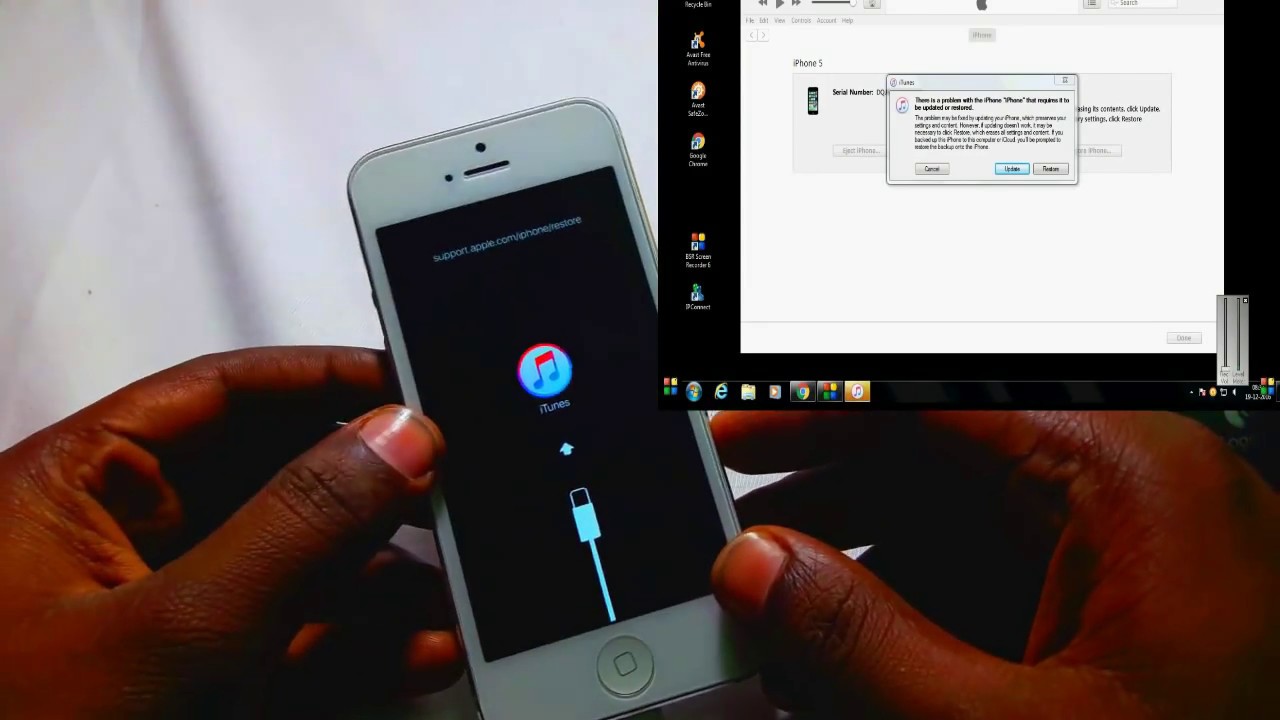
Here are the steps to delete iCloud account on our iPhone 6 (iOS 11.3):
Step #1 – Download and install Tenorshare 4uKey on computer. Then connect iPhone 6 using the appropriate lightning cable and launch the program to continue.
Step #2 – From the main menu, click on “Unlock Apple ID”.
Step #3 – Unlock iPhone and tap on “Trust”.
Step #4 – Finally click on the “Start” button and the program will take care of the rest for you.
1.3 – Removing Apple ID on iCloud.com
Let’s say you don’t want to use either of the solutions above. That’s fine, you can try a simpler method – ask the person you bought the iPhone from for help. Assuming it’s their Apple ID that’s linked with the device then they’ll be able to sign in and remove it. Here’s how to delete Apple ID from iPhone with the help of the previous owner.
Delete Apple ID from iPhone without Password iOS 11 via iCloud
Step #1 – Open a browser and go to the iCloud website. And sign in using your Apple ID (or in this case, have the previous owner sign into their account).
Step #2 – After signing in, select the “Find iPhone” option.
Step #3 – Below the “My Devices” header, locate and click on the iPhone that need to unlock.
Step #4 – There will be 4 options, click on Remove from Account to delete Apple ID from your iPhone.
Doing this will disable the Find My iPhone feature which in turn will disable the iCloud Activation Lock. You can then sign in with your own account.
1.4 – Creating a New Password
You probably won’t want to delete iCloud account if it’s your own account. If you’ve forgotten the password, then you can regain access by simply creating a new password.
Step #1 – Start by heading to the Apple ID account page. Below the email entry box, click on “Forgot Apple ID or password?”.
Step #2 – You’ll then be prompted to enter your Apple ID email. Do this and then click “Continue” to proceed.
Step #3 – Enter your phone numbers that linked with your Apple ID and if you get them correct, a message will be sent to you.
Step #4 – Then follow the instructions in the message to set your new password.
This is more convenient than having to make a brand-new account. It’s also important that you know your security questions and answers because if you don’t, you won’t be able to get the reset email.
Iphone 5s Icloud Removal
Part 2. How to Remove Apple ID from iPhone with Password?
Iphone 6 Icloud Unlock Free
If you do know the password and want to remove Apple ID from iPhone, you can do this directly from your iPhone.
Steps to Delete iCloud Account with Password
Step #1 – Unlock your iPhone and open the “Settings” app.
Step #2 – At the top of the menu that appears, tap on your name.
Step #3 – Swipe down and tap the “Sign Out” button.
Following these steps will delete the iCloud account from your iPhone. You’ll then be able to add a new Apple ID to your iPhone from the default Settings menu.
To Conclude…
There you have it, the top ways to remove Apple ID from iPhone without a password. For those of you who want to remove an iCloud Activation Lock, our recommendation is to use AppleiPhoneUnlock first. Our experience proved that this is an effective way of removing this irritant lock. Alternatively, if your device has been activated and you can’t use that service, Tenorshare 4uKey is your best bet.